
Asta Connect
Key Features of Asta Connect

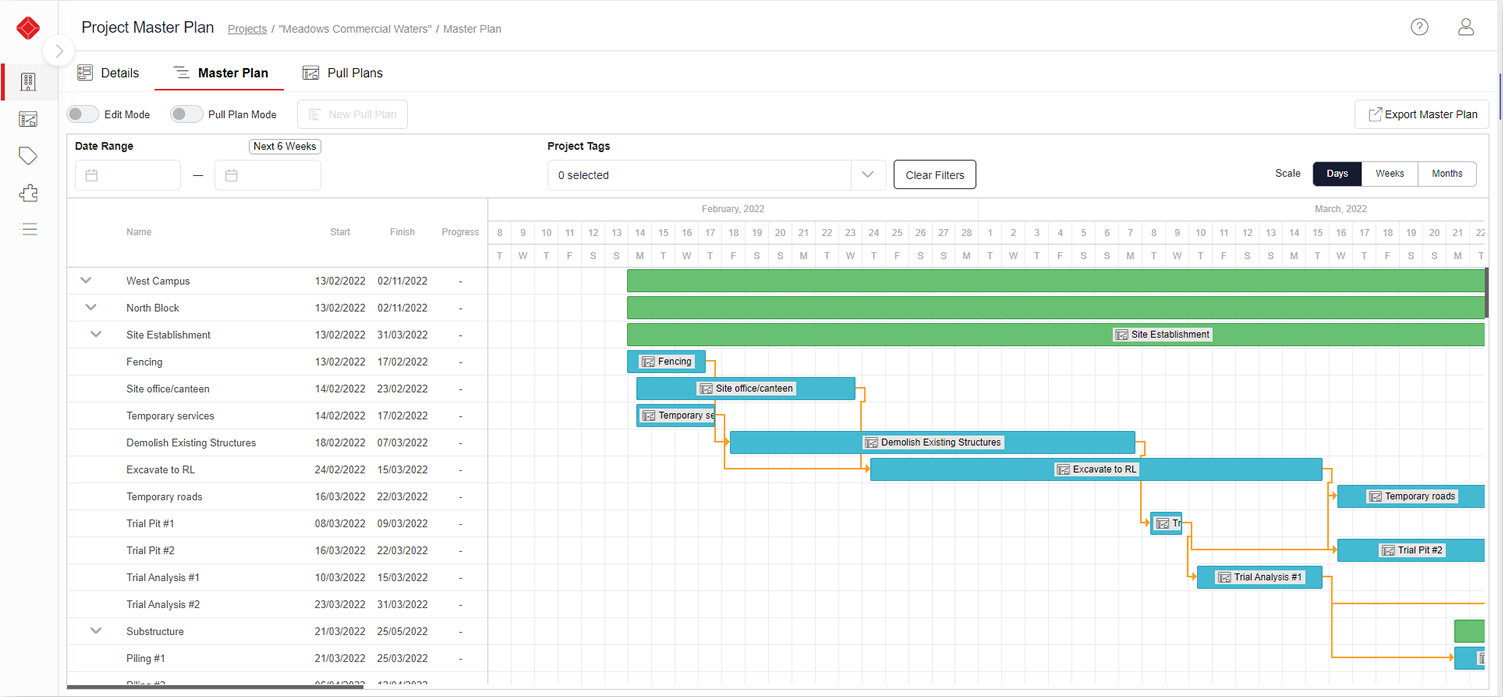
Master Plan Import/Alignment
You can import a master program / schedule (from Asta Powerproject or other high-level tools), so that the detailed short-term planning stays aligned with the overall project objectives.
Whiteboard/Pull Planning View
A visual “whiteboard” interface lets teams (project managers, trades, etc.) map out tasks, use digital sticky notes, draw dependencies/handoffs, set deadlines, plan phases or sprints of work. This mimics physical pull-planning or task boards but in a digital, shareable environment.
Dashboards/Live Performance Monitoring
Includes dashboards showing live data: percentage complete of tasks, what’s on schedule / at risk, progress of pull plans vs master plan, etc. Helps leadership see where issues are forming.
Role-based Access, Security, User Permissions
Different roles (e.g. trade contractor, planner, manager) can have different rights — who can edit what, who can see what, etc.
Baselines & Snapshot of Pull Plans
You can create baselines (snapshots) of pull plans, then compare live vs baseline to see what has changed, what is delayed, etc.
Flexible, Phased Planning
Projects can be broken into multiple phases; you can choose to detail upcoming phases more closely; adapt plans as phases complete. Allows more manageable chunks.
New Schedule Creation
If needed, you can also create a new master schedule directly within Asta Connect. It doesn’t force you to have used another tool first.
Task Management/To-Do Lists
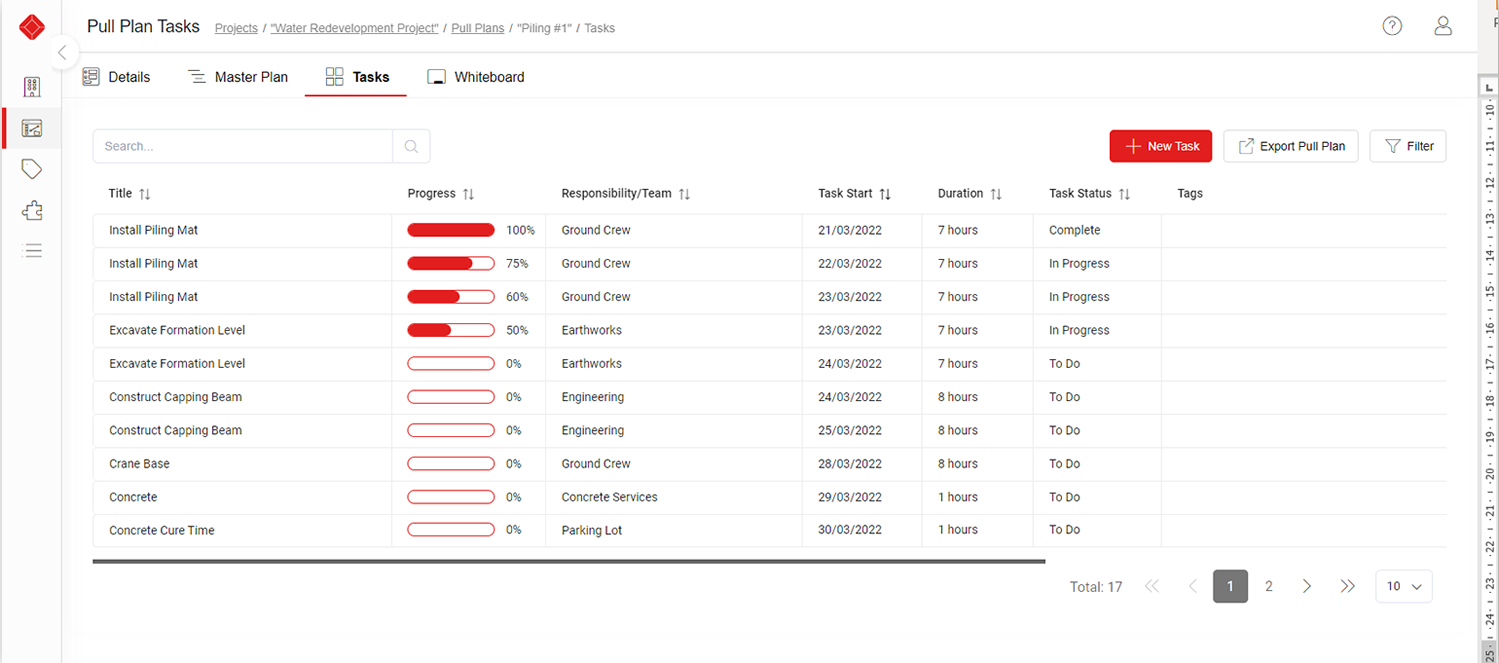
For each trade or team, tasks are visible as lists. Dependencies can be set (some tasks depend on others), deadlines, assignments, etc. Also status updates, progress tracking.

Automated Notifications & Communication
Reminders, notifications to team members about upcoming/hanging tasks so people stay accountable. Helps avoid drop-offs because someone forgot or didn’t see a hand-off.
Web-based Access/Cloud
Accessible via browser, which helps site teams / people not in the office to view tasks, updates, etc. Also supports secure cloud storage of the data.
Swimlanes, Build Locations, Task Grouping
Tasks can be grouped by trade, team, or by physical location (floors, plots, etc.), to visualize who is doing what where.
Benefits of Asta Connect
Improved alignment between strategic plan & execution
By importing the master schedule and keeping short-term plans in sync, there is less risk that the daily work diverges from overall project objectives.
Better communication among disciplines/trades
The whiteboard / pull planning encourages collaboration; trades and project teams can see how their tasks impact others. This reduces siloed working and late conflicts.
Flexibility & adaptability
Phased planning allows changing scope or adjusting to unforeseen issues without derailing entire project. Short-term commitments allow for realistic planning.
Time savings & efficiency
Digital whiteboards, shared tasks, web access, less back-and-forth via email or paper means less time wasted.
Improved predictability
More reliable schedules, better adherence to timelines; less reforecasting needed because team commitments are realistic.
Greater accountability & fewer surprises
When tasks are visible, dependencies are shown, and notifications are automatic, people are more likely to deliver what they commit to. Less “I didn’t know I was waiting on someone else.”
Reduced waste/rework
As delays or hand-off issues are spotted earlier, or before they happen, teams can adjust. Lean planning means fewer idle resources, fewer mistakes.
Real-time visibility for management
Dashboards and live progress → leadership can spot issues early and take corrective action (resource reallocation, schedule changes) before problems grow.
Stronger stakeholder engagement
When trade contractors or subcontractors are part of the planning (pull planning), there is more buy-in; they understand what’s needed, and feel committed.
Secure, documented history
Baselines, snapshots, permissions, etc., mean there is record-keeping, less chance of lost information or unexpected changes. Good for accountability, audit, or contracts.
Request a Free Consultation
"*" indicates required fields